Shot app icon

Your screenshots,
beautifully organized.

Shot turns the endless pile of “Screenshot at 16.42.07” files into a timeline you can browse, group and search, all in a fast, native Mac app.

Free and open source · macOS 14 Sonoma or later · Apple silicon & Intel

Shot's main window: a sidebar timeline of screenshots grouped by day, with a large preview of the selected screenshot
Features

Everything you capture, right where you left it.

No import, no library, no database. Shot works directly on your screenshots folder, so nothing is ever locked in.

Zero setup

Shot finds the folder macOS saves screenshots to and watches it. New captures appear the moment you take them.

A real timeline

Browse by day, week or month: Today, Yesterday, last Thursday. Sort by date, name or size.

Groups are just folders

Select a few screenshots and press ⌘G. Shot moves them into a subfolder, which Finder sees too.

Favorites

Heart the screenshots that matter with a single key, then see only those with ⌘2.

Recordings, too

Screen recordings play inline next to your screenshots. Filter to show just one kind.

Native and private

Built with AppKit for speed. No account, no network access, no tracking. Your screenshots never leave your Mac.

Groups

Keep projects together.

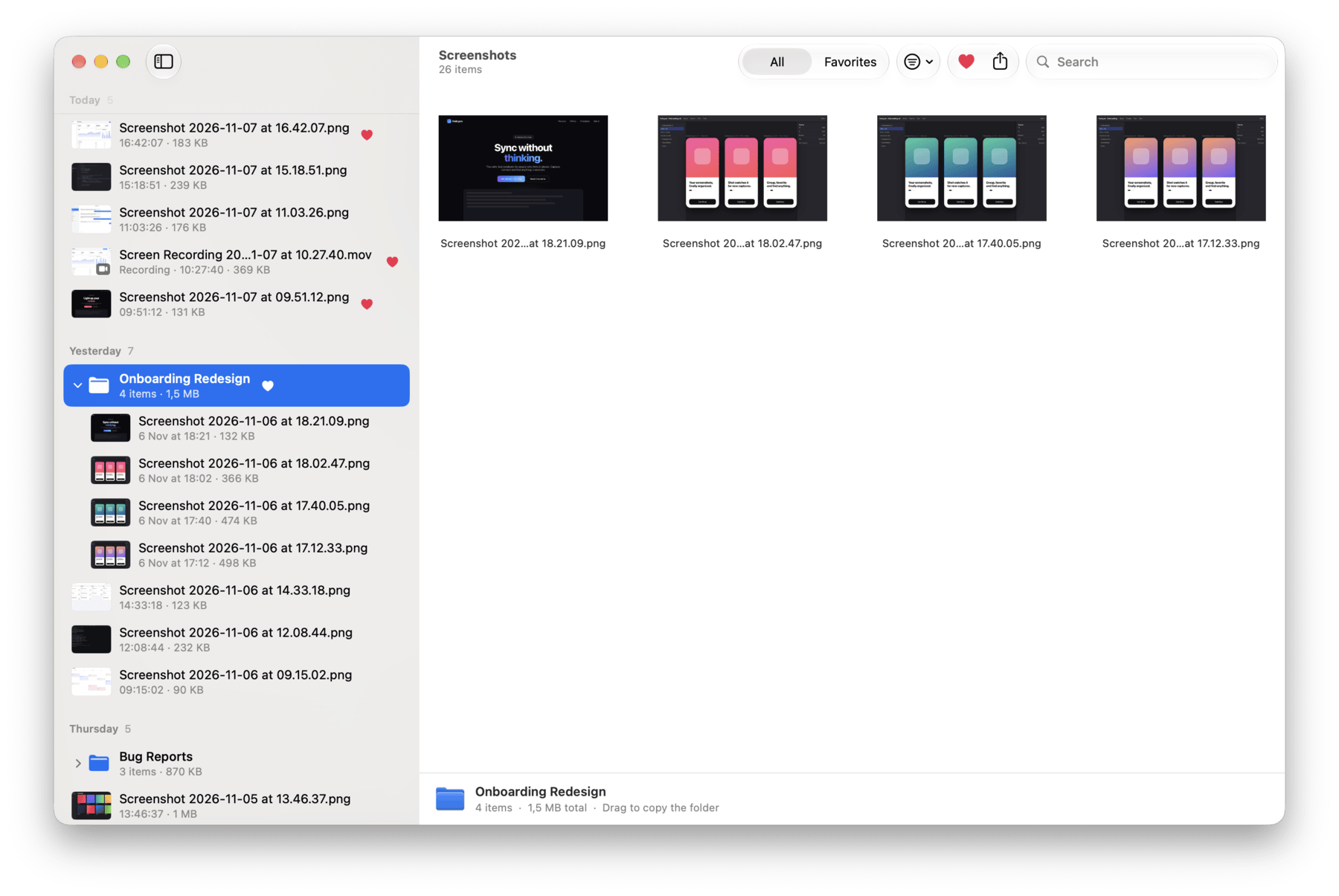
Gather the screenshots for a redesign, a bug report or a trip into a group. Expand it in the sidebar, or select it to see everything at a glance.

  • Group with ⌘G, ungroup with ⇧⌘G
  • Rename groups and keep your favorites
  • Drag a whole group into Mail, Slack or Finder
A group of onboarding screenshots expanded in the sidebar and shown as a grid
Find anything

The one you need, in seconds.

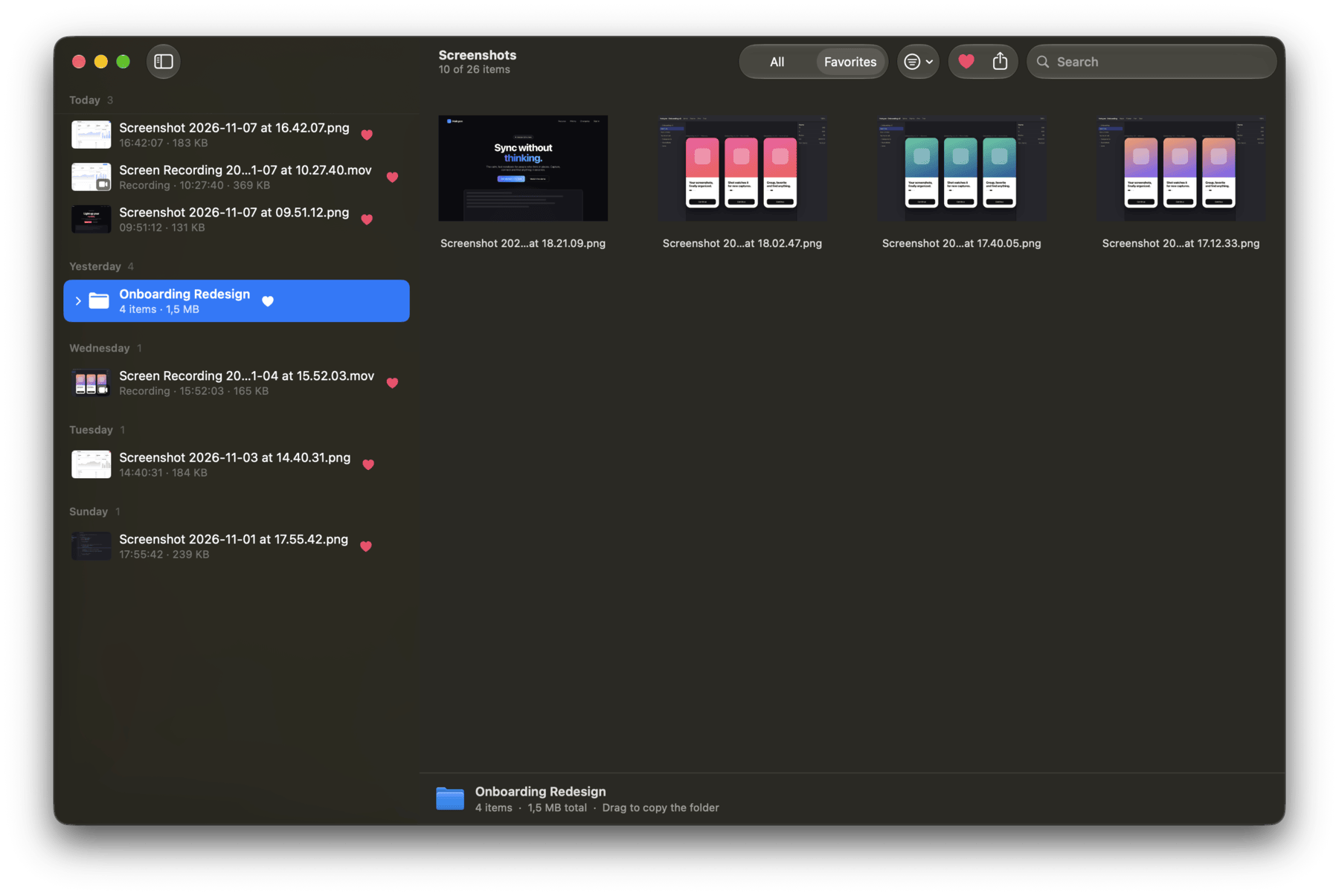
Filter to your favorites, search by name, and press Space for Quick Look. When you find it, copy the image, drag it into any app or share it.

  • Instant search with ⌘F
  • Quick Look on Space
  • Copy the image itself with ⌘C
Shot in dark mode, showing only favorite screenshots
Keyboard first

Made for the keyboard.

Every action has a shortcut that works the way you expect on a Mac.

Quick LookSpace
Add to Favorites.
Group selection⌘G
Ungroup⇧⌘G
Copy image⌘C
Search⌘F
All items / Favorites⌘1 ⌘2
Show in Finder⇧⌘R
Open⌘O
Move to Trash⌘⌫

Give your screenshots a home.

Free, open source, and less than 3 MB.